UPDF Review 2026

UPDF Scores 4/5 in 2026 for Cross-Platform PDF Editing and Budget-Conscious Users: Strong AI Integration Meets Practical Trade-Offs:

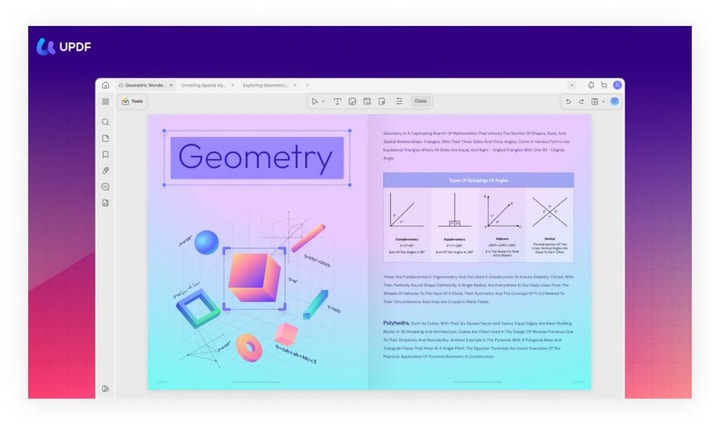
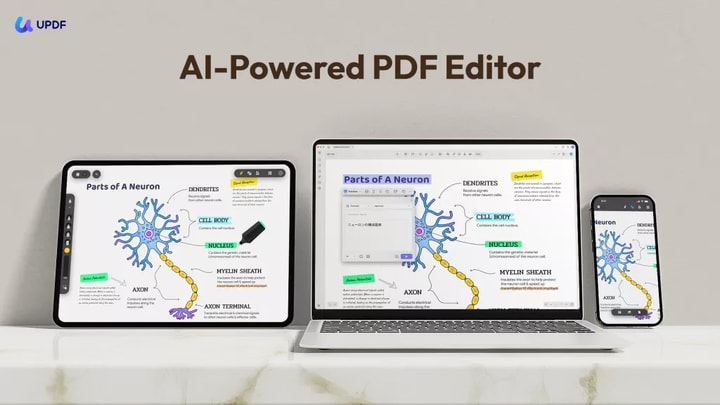
This review highlights UPDF's powerful AI-powered tools and multi-device access while acknowledging minor interface bugs and limited advanced drawing capabilities.

Image: updf.com
Image: updf.com

Editing PDFs can be tricky, especially when you need solid tools across devices without spending a fortune. Maybe you’ve tried options that feel either too clunky or overly expensive, and now you’re wondering if there’s a smarter solution that balances ease of use with powerful features. It’s easy to feel stuck between high costs and limited capabilities, particularly if you want AI to help speed things up without complicating your workflow.

UPDF is one option operating in this space. The brand offers an AI-powered, cross-platform PDF editor that aims to deliver comprehensive editing and annotation features at a budget-friendly price. This UPDF review looks at whether it provides enough reliability and versatility to replace pricier alternatives, especially for users who want strong text and image editing alongside AI tools like summarization and chat. The key question is whether the trade-offs, such as limited drawing tools and occasional minor bugs, are worth the savings and convenience it offers.

For many, UPDF’s appeal lies in its multi-device syncing, AI-assisted productivity, and straightforward interface, making it suited for students, educators, and professionals working regularly with PDFs. Still, the brand may leave those needing advanced graphical annotations or enterprise-grade collaboration wondering if it fully meets their needs. Does UPDF hit the right balance between affordability, AI innovation, and core editing features to justify choosing it over simpler or more expensive options?
Review Summary

Editorial verdict at a glance

visit updf.com
Overall rating & review
0.0
(0 Ratings & 0 Reviews)

This UPDF Review finds a capable cross-platform PDF workspace for editing, annotating, converting, organizing, protecting, and reading documents, with separate AI tools for summarizing and discussing files. The interface is approachable enough for routine office or study tasks, while OCR, document conversion, and page management give it more depth than a basic PDF reader.

UPDF fits students, office workers, freelancers, and small teams that want common PDF tools under one account across desktop and mobile devices. Its strongest qualities are broad document functionality, a relatively clean interface, and useful AI-assisted reading options. The main concerns come from account, subscription, and performance complaints found in some buyer feedback, along with the need to understand which features require separate plans. Editor Score: 8.0/10 - Strong everyday PDF tools and cross-device access, with plan details and occasional performance issues worth checking.

Reviews

(0)

No reviews found.

Try another sort option or be the first to add a review.

Inside The UPDF Software Ecosystem

How the company structures its tools

visit updf.com

UPDF is a document software brand operated by Superace. Its main offering is a PDF editor for Windows, macOS, iOS, and Android. The software covers reading, annotation, text and image editing, file conversion, OCR, page organization, form handling, document protection, sharing, and printing. The company also provides browser-based services and separate plans for individuals, education users, and enterprise customers.

The ecosystem extends beyond conventional PDF editing. UPDF AI adds document chat, summaries, translations, explanations, mind maps, and research-oriented features. UPDF Sign supports electronic signature workflows for documents that need to be prepared, sent, and tracked. The product structure uses one account across supported platforms, while access levels depend on the license or subscription selected. This setup places routine PDF work, AI-assisted reading, and signature tasks within the same broader software family.

Explore The UPDF Software Ecosystem

Visit UPDF
How Outside Reviews Describe The Experience — Editorial testing and independent ratings

How Outside Reviews Describe The Experience
Image: updf.com

Outside reviews help show how UPDF performs beyond its own feature pages. The Business Dive tested the software in a 2026 review and discussed its editing tools, AI functions, pricing structure, and day-to-day usability. The review presented UPDF as a broad PDF editor with a modern interface, while also examining whether its feature set makes sense for different workloads.

Review platforms provide a more mixed view. Trustpilot currently labels UPDF as Great, with a 3.9 out of 5 score based on more than 700 submitted reviews. The profile also reports that the company replies to negative feedback, typically within one week. Capterra feedback often praises the interface, editing convenience, and usefulness across desktop and mobile devices. Some reviews also mention slow loading, unexpected sign-outs, or frustration around subscriptions and support. Together, these sources suggest a useful and generally well-received editor whose experience can vary by device, workflow, and account setup. (trustpilot.com)

UPDF

UPDF Pro Review

Core editing and document management tools
UPDF Pro Plan
Photo: UPDF
Price Subject to change Sold by
In stock $79.99
Updf.com
Shop
Product updated, Preview
Overall rating
0.0
(0 Ratings)

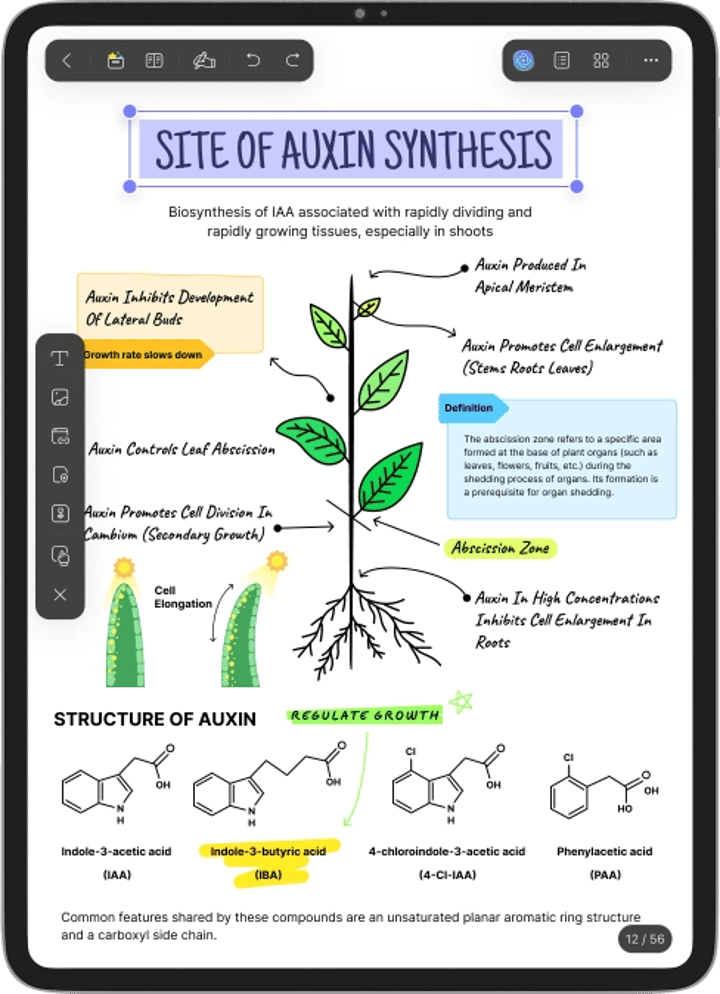
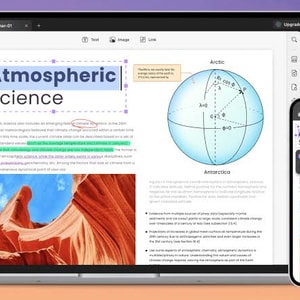
UPDF Pro is the main desktop and mobile PDF product. It brings together text and image editing, annotation, page organization, conversion, OCR, form tools, password protection, redaction, watermarking, and document creation. These functions matter when you need to correct a contract, reorganize a report, extract text from a scan, or convert a PDF into a more editable format. The company states that the software supports Windows, macOS, iOS, and Android, which can make one license more practical for people who regularly switch devices.

The interface tends to receive positive comments for looking clean and keeping common tools easy to find. That can reduce the adjustment period for users moving beyond a simple PDF reader. Feedback is less consistent around loading speed and account behavior, with some buyers reporting slow starts or repeated sign-outs. Your experience may depend on the platform, document size, and feature being used. Testing the free version with your own files is the most useful way to judge whether editing, OCR, and conversion perform well enough for your routine.

UPDF Pro Plan

View Product

UPDF

UPDF AI Review

Document chat, summaries, and research help
UPDF AI Assistant
Photo: UPDF
Price Subject to change Sold by
In stock $79
Updf.com
Shop
Product updated, Preview
Overall rating
0.0
(0 Ratings)

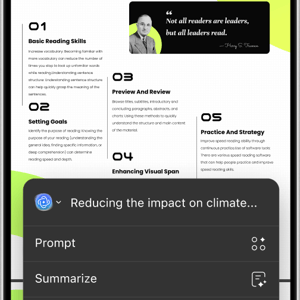
UPDF AI is designed for reading and analyzing documents rather than changing their page layout. Its tools include PDF chat, multi-file conversations, summaries, translations, explanations, image-based questions, paper search, and conversion of document content into mind maps. These features can help when you need to reduce a long report into key points, compare information across files, or ask questions without repeatedly searching through individual pages. The online service accepts PDF and common image formats, while AI functions are also integrated into parts of the wider UPDF ecosystem. 

The value depends on the kind of documents you handle. Students and researchers may use summaries, translation, and paper tools more often than someone who only fills forms. Office users may find document questions and multi-file analysis useful for reports or policies. AI output still needs checking against the original document, especially when accuracy, legal wording, or technical detail matters. It is also important to confirm whether your selected plan includes the AI allowance you need, since UPDF Pro and UPDF AI can be billed as separate products.

Take a Look UPDF AI Assistant

View Product

The Advantages And Friction Points — A practical balance of strengths and limits

Do you like this?

UPDF covers a wide range of routine document jobs without making each task feel like a separate product. Editing, OCR, conversion, annotation, page organization, forms, protection, and mobile access create a useful foundation for work and study. The interface is frequently described as attractive and understandable, while the cross-platform setup can be convenient if your documents move between a computer, tablet, and phone. AI tools add another layer for readers who regularly summarize, translate, or question long files.

The less convenient parts are tied to performance and plan structure. Some buyers describe slow loading or being signed out, which can interrupt otherwise simple tasks. UPDF Pro, AI access, and signature services may also involve different subscriptions or usage limits, so the full cost depends on which parts of the ecosystem you actually need. Cancellation and refund eligibility follow specific conditions rather than an unrestricted satisfaction promise. The software therefore works best when you test your normal files first and compare the exact plan inclusions before paying.

Captain's Note
It's an attractive piece of software and has a nice interface. Does a decent job with basic editing.
Verified Customer
Capterra Reviewer

Comments

(0)

No comments found.

Try another sort option or be the first to join the log.
What Customers Say After Using It — Praise for usability, mixed service experiences

What Customers Say After Using It
Image: updf.com

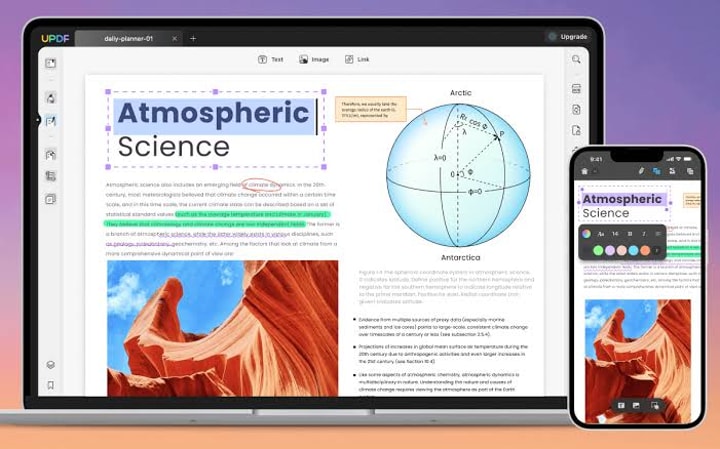
Customer feedback is strongest around the interface and the convenience of having common PDF tasks in one application. A Capterra reviewer wrote, "It's an attractive piece of software and has a nice interface. Does a decent job with basic editing." That comment captures the practical appeal for users who want straightforward document changes without spending much time learning the layout. Other reviewers praise annotation, conversion, mobile access, and the ability to handle everyday PDF work in one place. (capterra.com)

The negative feedback tends to focus on account access, renewal expectations, refund requests, loading speed, and support resolution. Trustpilot shows a generally positive overall score, while still containing detailed complaints from customers whose billing or technical experience did not go smoothly. UPDF is shown as responding to negative reviews, although a public response does not confirm that every issue reached the outcome the customer wanted. The feedback is most useful when you separate software performance from subscription service, since buyers may be satisfied with the editor while feeling differently about account or billing handling.

Who Can Put UPDF To Good Use? — Audience fit across study and office work

Students can use UPDF for highlighting readings, adding notes, translating passages, summarizing papers, and organizing scanned course materials. Researchers may get more from OCR, multi-file AI chat, paper search, and document comparison. Teachers can mark worksheets or prepare handouts, while administrative staff can edit forms, rearrange pages, redact information, and convert documents for other systems.

Freelancers and small business owners are another practical audience. They often need to revise proposals, complete forms, protect files, collect signatures, or review contracts without maintaining a complicated document software stack. Office workers who switch between a work computer and mobile device may also value cross-platform access. The fit is less clear for people who only open a PDF a few times each month, since a basic reader may already cover that need. Large organizations should examine enterprise controls, deployment needs, compliance requirements, and signature volume before deciding whether the platform matches their internal processes.

Verify UPDF Trust Signals

Visit Official Site

Credibility Signals Behind The Software — Ownership, support, and public policies

UPDF provides visible company and support information, which gives buyers a clearer trust signal. The product is associated with Superace, and the brand publishes an official support email, platform downloads, pricing pages, account tools, subscription terms, cancellation instructions, and a refund policy. It also maintains active profiles across Facebook, Instagram, TikTok, YouTube, and X. These details make the business and its customer service routes easier to verify.

The official site explains that users can try the software before buying, manage subscriptions through their account, and contact support when they encounter a technical or billing issue. Public review profiles add another layer because you can compare the brand's statements with feedback from actual customers. Trustpilot reports hundreds of reviews and shows company responses to negative posts. These signals add credibility, while they do not guarantee that every technical or refund request will be resolved in the same way. Reading the subscription and refund terms before payment remains an important part of verifying the offer. (updf.com)

See Current UPDF Plans

Check Pricing

Does UPDF Deliver Enough Everyday Value? — Usefulness for recurring document tasks

Does UPDF Deliver Enough Everyday Value?
Image: updf.com
Do you like this?

Smart Buy. UPDF delivers the clearest value when PDF work is a regular part of your study, administration, freelance work, or business routine. Its combination of editing, annotation, OCR, conversion, page management, forms, and protection can replace several smaller utilities. Cross-platform access also makes the product more useful when you review documents on mobile and complete detailed edits on a computer.

The interface supports that value by keeping common actions accessible rather than burying them behind a highly technical workflow. AI summaries, translation, document questions, and research tools can add practical time savings for readers who handle long or complex files. Public support channels, account management, and documented cancellation options also make the service easier to manage after purchase. The strongest value comes from selecting only the tools that match your actual work, whether that means the core editor, AI assistance, or electronic signature functions.

Digital Delivery, Cancellation, And Refund Terms — Policies to understand before subscribing

UPDF is delivered as downloadable software and online services, so there is no physical shipping process for the main products. You can download the supported application or access browser-based tools through the official platform. Check operating system compatibility before purchasing, especially if you plan to use the license across Windows, macOS, iOS, and Android devices.

The official site provides instructions for canceling subscriptions through the UPDF account center and other purchase channels. Cancellation stops future renewal, while access may continue through the paid term depending on the subscription arrangement. UPDF also publishes a 30-day money-back guarantee with eligibility conditions. Its subscription agreement mentions cases such as technical defects confirmed by support or duplicate purchases, so the guarantee should not be treated as unconditional. Bundle customers may need to manage UPDF Pro and UPDF AI separately because renewals and refund requests can be handled by product. Review the current policy and contact support promptly if you believe an order qualifies.

Getting Help From The UPDF Team — Support channels for accounts and software

You can contact UPDF for technical troubleshooting, account access, billing questions, cancellation help, refund requests, and general product guidance. Email is the clearest option when your request includes an order number, account address, screenshots, or a detailed description of an error. Social channels can help you follow product announcements or send shorter questions.

For faster troubleshooting, include your operating system, UPDF version, account email, and the steps that produced the problem. Trustpilot reports that the company typically responds to negative reviews within one week, although this does not establish a guaranteed support response time for direct requests. 

Get UPDF From The Official Platform

View UPDF Plans

Starting With The Official UPDF Platform — The direct route to plans and downloads

The official UPDF website is the main place to download the software, compare current plans, access online AI tools, and manage an account. Buying through the source also keeps license information, renewal controls, product documentation, and support routes connected to the same provider. That is useful when you need to confirm whether a plan covers the core PDF editor, AI usage, signature features, or a particular number of devices.

Start with the free or trial access and test the tasks you perform most often. Open a large file, edit text, run OCR on a scan, convert a document, and check how the application behaves on your main device. Then review the renewal terms and refund conditions before selecting a paid option. You can use the official UPDF platform to see current downloads and plan details. This approach gives you a more realistic picture than choosing a license from a feature list alone.

Frequently Asked Questions about UPDF Review

Is UPDF a secure and reliable PDF editor for sensitive documents?
UPDF uses strong encryption protocols like SSL/TLS and stores files securely across US and European data centers. Its AI runs on US servers without collecting personal data, helping protect your privacy. While some users report occasional minor bugs and login delays, the company actively responds to support inquiries, making it a reasonably secure and dependable choice for everyday PDF tasks.
What features does UPDF include in its free and paid plans?
The free UPDF plan offers basic PDF editing with limited AI functions and exports watermarked files. Paid Pro licenses remove watermarks and unlock full editing tools. AI-powered capabilities like summarization, chat, and translation typically require an additional yearly plan or AI-specific subscription. Lifetime licenses or subscriptions are available, providing options depending on your budget and needs.
Does UPDF offer advanced annotation and drawing tools for PDF editing?
UPDF provides comprehensive text and image editing plus varied annotations such as highlights, sticky notes, stamps, and signatures. However, its drawing and advanced graphical annotation tools are limited and may not satisfy users needing detailed drawing features. Some minor interface bugs related to these functions have also been reported.
Can one UPDF license be used across multiple devices and platforms?
Yes, UPDF supports a single license that covers usage on Windows, Mac, iOS, and Android devices. This cross-platform capability allows you to edit and sync PDFs seamlessly across up to four devices, making it convenient for users who work on multiple systems.
How effective are UPDF's AI features for summarizing and interacting with PDFs?
UPDF's AI tools, powered by GPT-5 and DeepSeek, provide fast and accurate summaries, chat interactions, translations, and mind maps to assist your PDF workflows. Most users find these features enhance productivity significantly, although minor UI bugs can sometimes affect ease of use. Overall, the AI assistant is a helpful addition for streamlining PDF management.
What support options are available if I encounter issues with UPDF?
You can contact UPDF support via email at [email protected] or [email protected]. While the company strives to reply to all negative feedback and support requests, some customers report response delays or difficulty reaching assistance. The support team communicates primarily in English, and you can also consult their official contact page for help.
How does UPDF compare with premium and other affordable PDF editors?
UPDF stands out as a budget-friendly, AI-powered PDF editor with strong multi-device support and core editing tools. Compared to premium apps, it lacks advanced drawing features and real-time collaboration. Against other affordable options, it offers unique AI-driven productivity aids and cross-platform syncing. It may suit users balancing cost with essential editing capabilities but not those needing intricate graphics or enterprise form workflows.
Where is the best place to buy UPDF and what is the refund policy?
The official UPDF website is the recommended place to purchase to ensure full features, updates, and official support. They offer a risk-free 30-day money-back guarantee for purchases. Take advantage of free trials before buying, keep your order information handy, and review the refund terms to ensure your needs are met.
Who is UPDF best suited for and who might want to consider other options?
UPDF works well for individuals, students, educators, and small teams needing affordable, AI-enhanced PDF editing across multiple devices. It suits those wanting text and image editing, annotation, and AI assistance on a budget. However, users requiring advanced graphical drawing tools, real-time team collaboration, or complex enterprise signature workflows might find UPDF less ideal.
Are there any known bugs or limitations that could affect UPDF usage?
Some users report occasional minor bugs like navigation glitches, link creation difficulties, and printing orientation issues. The app also lacks real-time collaboration and advanced drawing capabilities. While these limitations affect some workflows, many find the overall experience reliable for everyday PDF editing, especially considering its affordable pricing and AI features.

Conclusion

What gives UPDF its appeal is how it combines powerful AI-assisted tools with budget-friendly, cross-platform accessibility. The platform offers comprehensive text and image editing supported by AI features like summarization, chat, translation, and mind maps that enhance productivity without the premium price tag. This makes the UPDF Review especially relevant for users seeking an affordable, capable PDF editor that works seamlessly across multiple devices. Its clean and intuitive interface further smooths the experience, although occasional minor bugs and limited drawing capabilities slightly temper the overall polish.

The strongest fit is for students, researchers, and professionals who manage PDFs regularly and value AI-powered efficiency without breaking the bank. Buyers needing real-time collaboration, advanced form workflows, or extensive graphical annotation will likely find the platform less suitable at this stage. Still, UPDF’s secure sync and thoughtfully designed tools create a reliable environment that supports productivity across devices while keeping complexity low. The experience is best appreciated by users prioritizing smart, straightforward PDF editing over exhaustive customization or enterprise-grade collaboration.